One chart. One playhead. Everyone together.
One person hosts, everyone else types a four-digit room code. Start, change tempo, jump sections, lock a loop — every playhead moves together. On your own, it becomes a backing band, a stem splitter and a looping practice rig.
iPhone / iPad · iOS 17 or later · v1.3.2
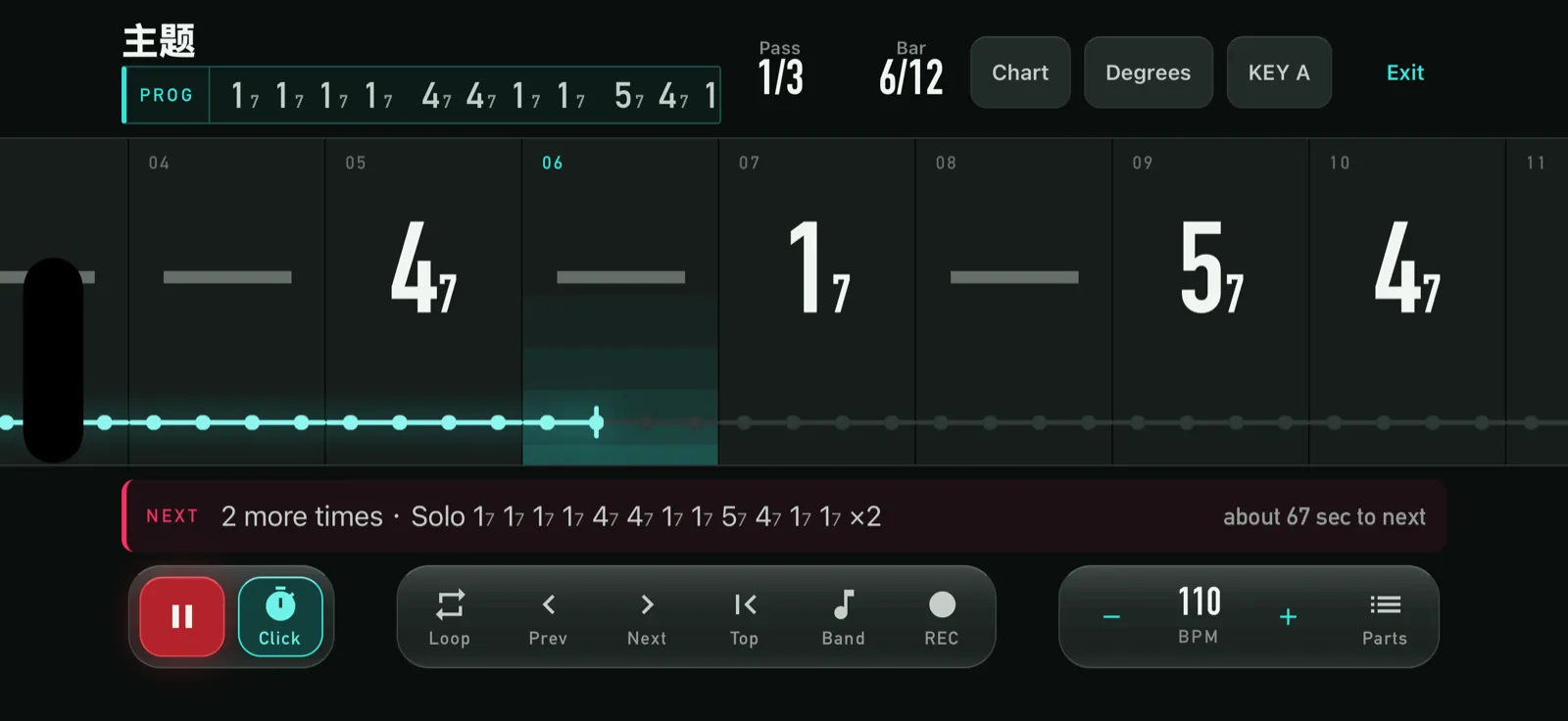
Number-system charts
No staves, no tabs — just the numbers.
- Change the key, not the chartThe chart says 1 5 6 4; the screen shows the chords for whatever key you are in. Transposing is one field, not a rewrite.
- Sections are first-classA song is a list of sections: intro, verse, chorus, bridge. Each carries its own progression and repeat count — which section, which numbers, pass 2 of 3, all at a glance.
- Singers get their own viewSwitch to lyrics and get prompted line by line. Lyrics are grouped per pass, because verse 2 is not verse 1 with the same words.
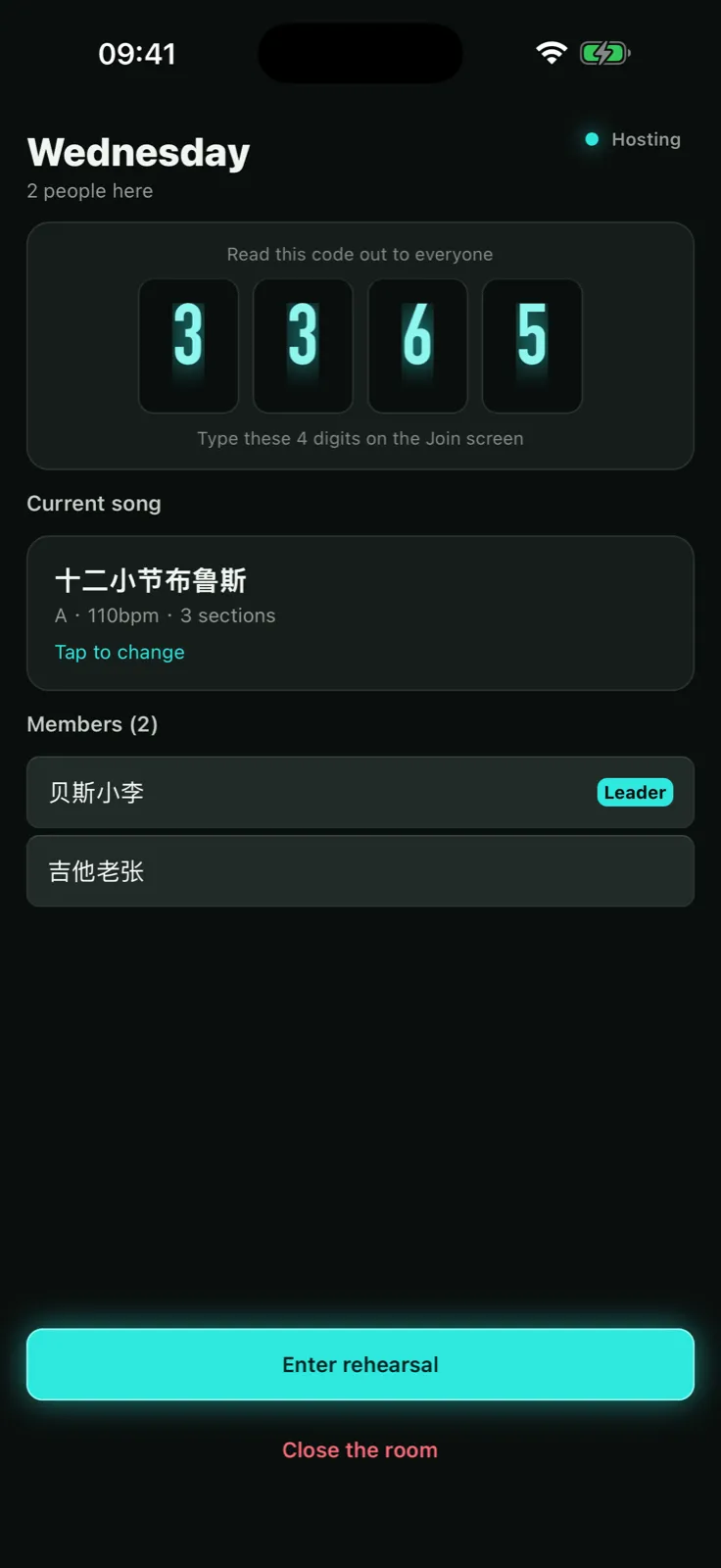
Local network sync, no internet needed
Rehearsal rooms have terrible reception. This never touches the internet.
- A four-digit code and you are inOne person hosts, the others type four digits. No account, no sign-in. A QR code is there too, but it is the second path, not the first.
- The playhead is genuinely in syncEvery device computes its own frame from wall-clock time against a shared anchor. Measured clock offset over Wi-Fi: under one millisecond.
- Whoever leads, leadsStart, tempo, section jumps, loop locks — everyone follows. Section changes arrive with a countdown, so nobody is surprised.
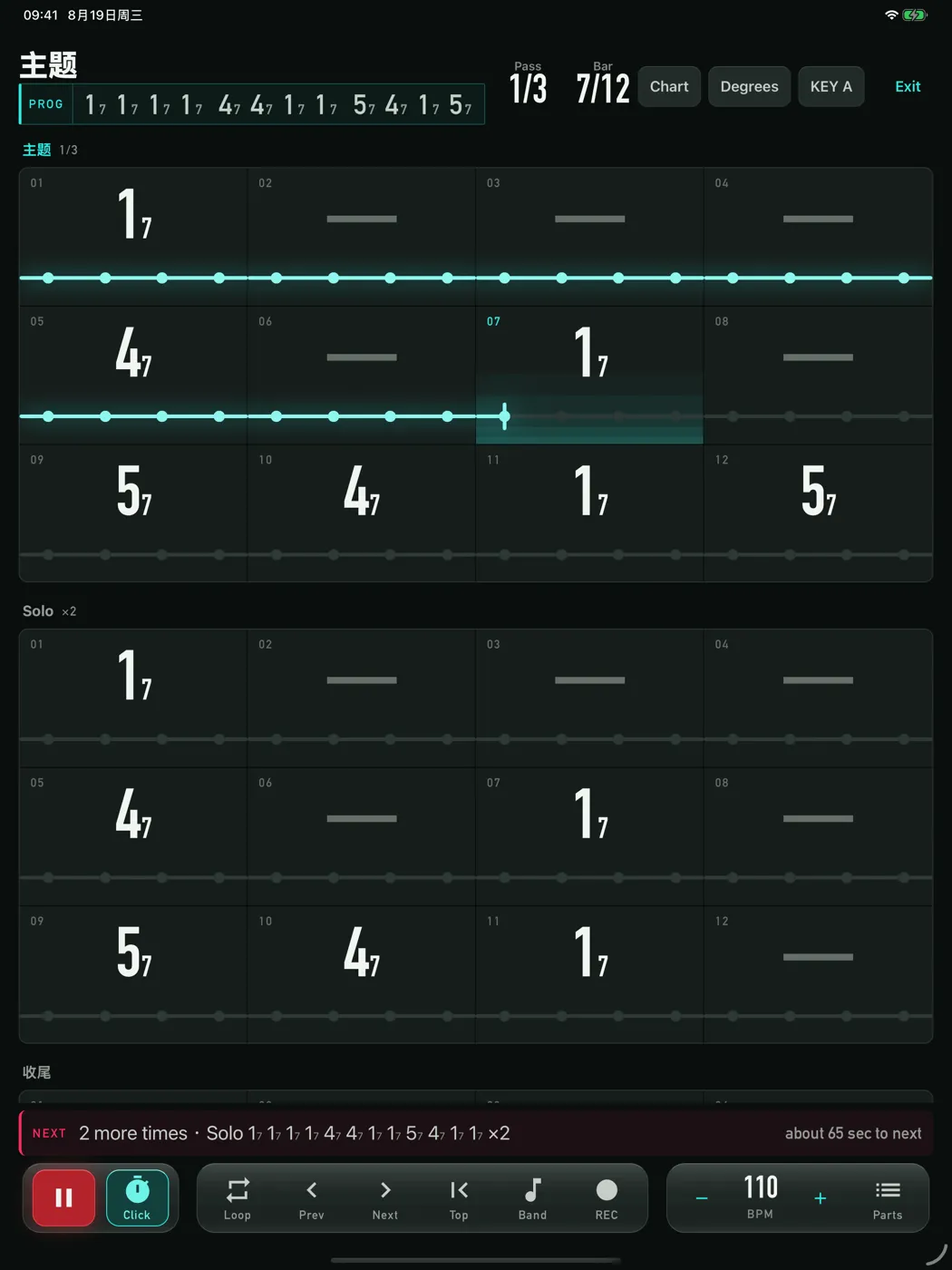
On iPad, it is the music stand
The rehearsal view lays out the whole song — one panel per section, four bars to a row.
- Lit up to wherever the band isSections you have played stay lit; the current bar glows. Look up and you know where you are and what is next.
- One page is one songNo page turns, no scrolling. Put it on a stand and play.
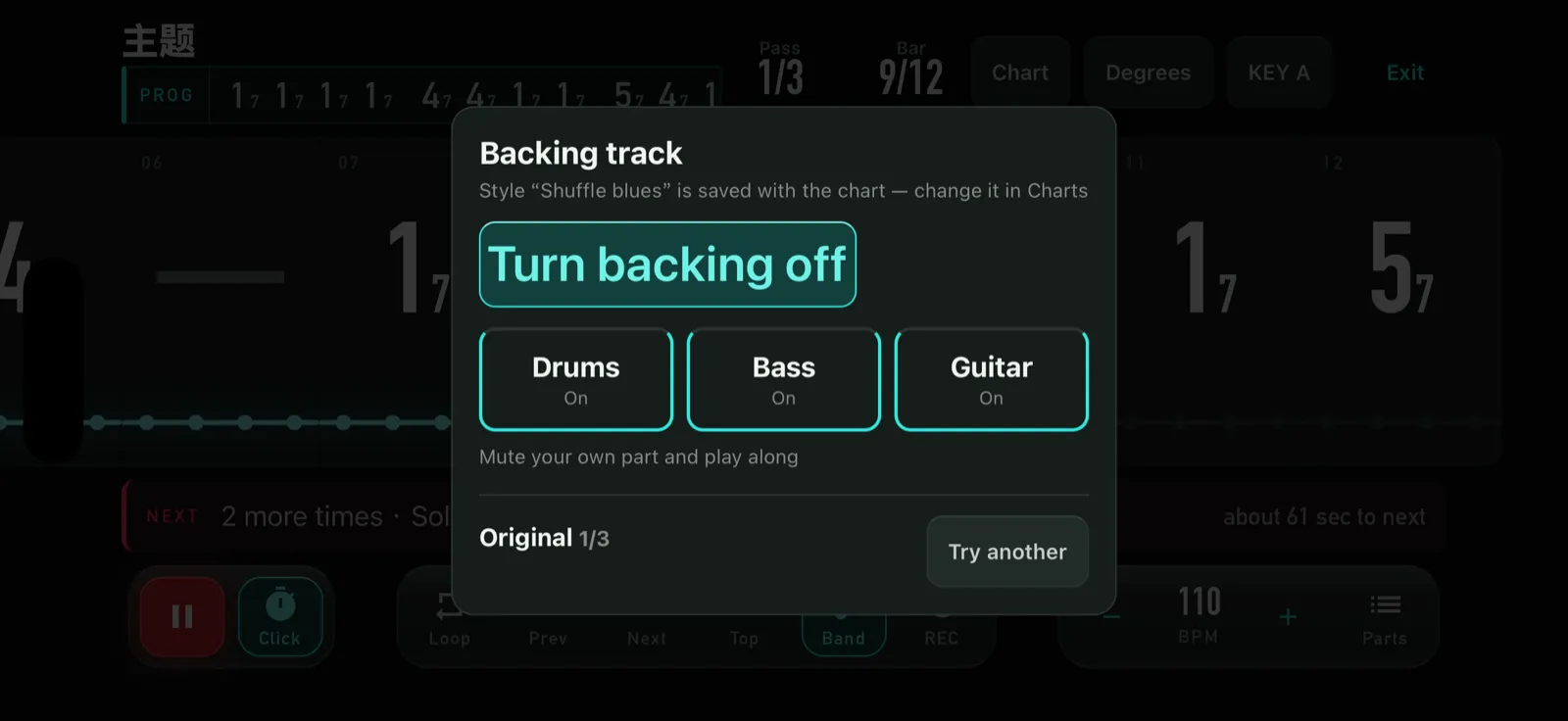
Backing tracks from your own chart
Practising alone, drums, bass and guitar follow what you wrote.
- Nine styles, two arrangements eachPop, rock, ballad, country, shuffle blues, reggae, funk, jazz swing, bossa nova. Every part can be muted on its own.
- The harmony is yours, not the style’sA style never adds a seventh you did not write. Want a dominant blues? Write 17 47 57 on the chart and that is what you hear.
- The arrangement follows the formIntros drop to the skeleton, choruses move to the ride and add ghost notes, pass two is fuller than pass one. It is not one bar on repeat.
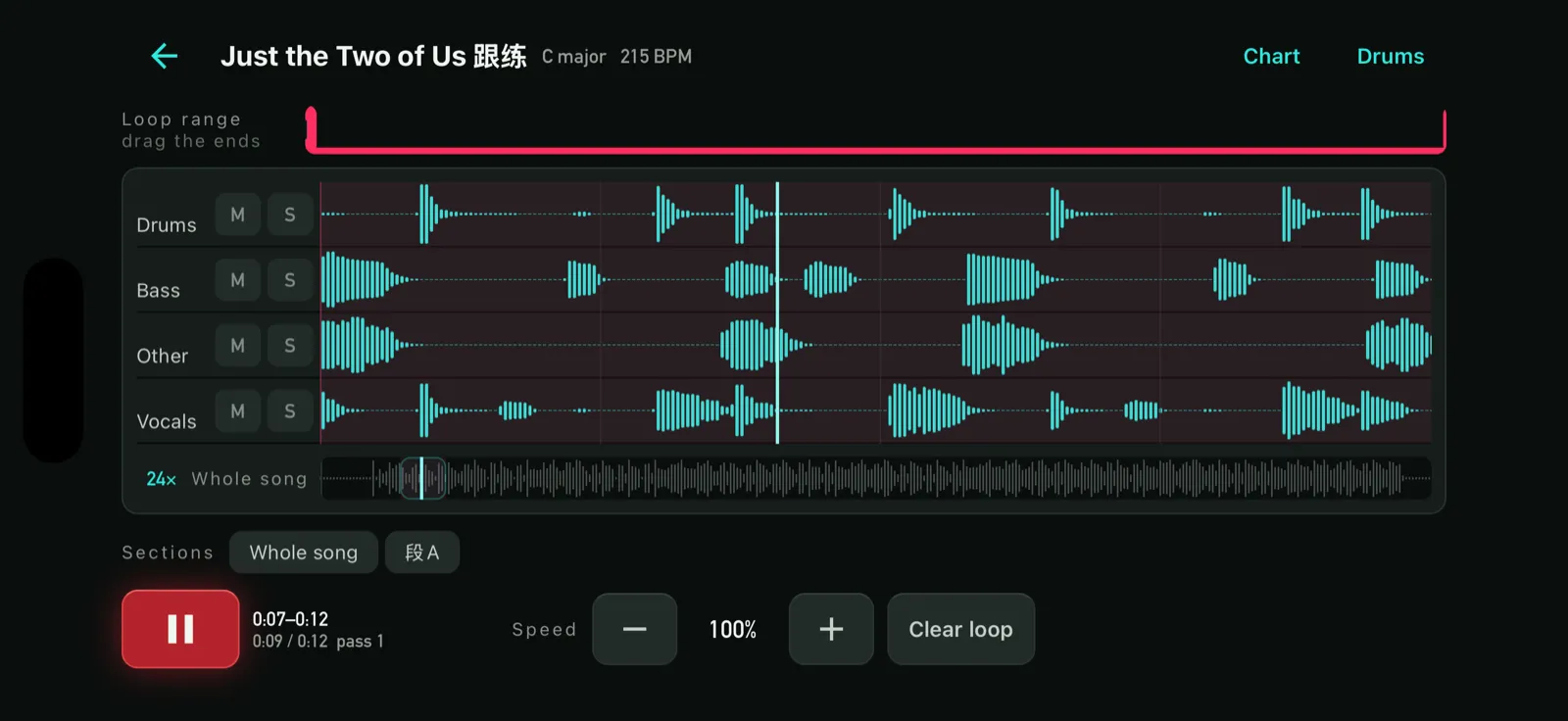
Stem separation and phrase looping
Import a song, split it into four stems on your own device, get the chords.
- Drums / bass / other / vocalsSeparation runs locally on the Neural Engine. No audio is uploaded, ever. Solo one stem, or mute it and play that part yourself.
- Chords, tempo and key, detectedBeat tracking, key detection and chord recognition turn the import straight into a number-system chart.
- Loop one phrase until it is yours0.5×–1.5× without changing pitch. You decide when to speed up — nothing pushes the tempo for you.
Video practice
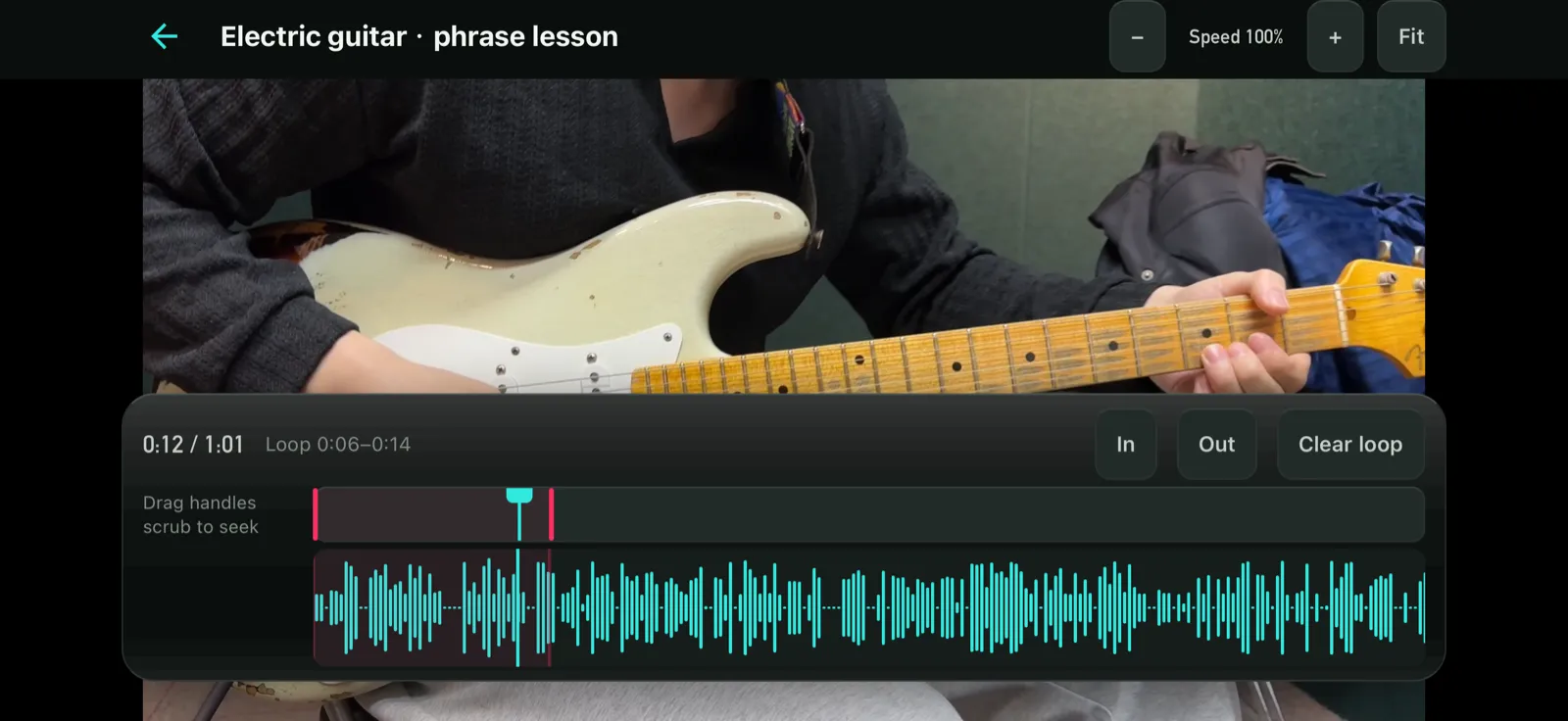
Import a lesson video from your phone and mark the few seconds you need.
- In and out points, not a drag-selectScrub to the phrase and hit In and Out. The picture follows the playhead live, so you can see the exact frame you are marking.
- Full screen, looped, slowed downPlayback covers nothing — not even a back button. The bottom of a lesson video is where the information is.
Rehearsal recording
Plug in the mixer or interface and record the whole session.
- A take is a marker, not a start-stopThe session records continuously; every time someone hits play it becomes a take. The best thing in a rehearsal is often the part nobody pressed record for.
- It keeps recording on the lock screenTwo hours in, somebody will check a message. Stopping there would mean losing the session.
- Keep the good onesStar the takes worth keeping, export m4a and send them to the band through the share sheet.
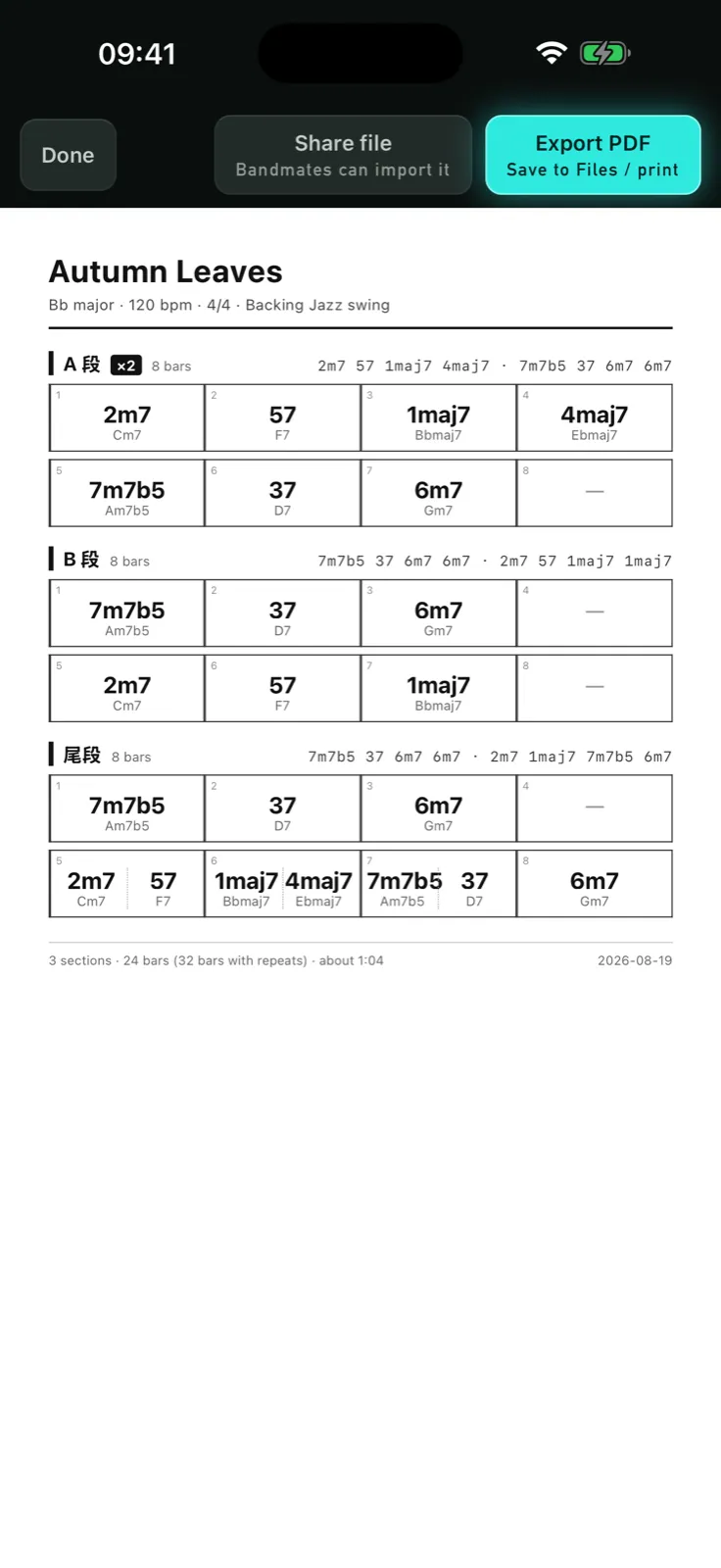
Full-song overview and PDF export
What you see is what you print — the same chart, the same page.
- One rendering, two destinationsThe on-screen preview and the exported PDF come from the same render. There is no “it printed differently”.
- Good enough to hand to a depOne song on one page: sections, progressions, repeat counts and lyrics.
Most of it is free, forever
Three things are paid. Everything else has no time limit and no song limit.
no time limit
- Library, chart editing, solo rehearsal
- Joining someone's room
- Backing tracks (9 styles × 3 arrangements)
- On-device stem separation, looping, tempo change
- Rehearsal recording and export
- Video practice (import a lesson, loop a passage)
- Full-song overview
Free for the first 30 days after install
- AI transcriber
- Host a room
- PDF export
OverDrive Pro is an auto-renewable subscription, 1 month, US$4.99 per month (prices vary by storefront and are shown in the App Store before you confirm). Payment is charged to your Apple Account at confirmation of purchase. It renews automatically unless auto-renew is turned off at least 24 hours before the end of the current period. Manage or cancel it in Settings > Apple Account > Subscriptions. Terms of Use (EULA) · Privacy Policy